> For the complete documentation index, see [llms.txt](https://docs.algomojo.com/algomojo/llms.txt). Markdown versions of documentation pages are available by appending `.md` to page URLs; this page is available as [Markdown](https://docs.algomojo.com/algomojo/arrownect-to-algomojo.md).
# Arrownect to Algomojo
### 🔗 How to Map Arrownect Server IP to Algomojo for Live Trading
To begin live trading, you must link your Arrownect Server to your Algomojo API. Follow these steps carefully to ensure a secure connection.
#### Step 1: Retrieve Your Arrownect Login Details
1. Log in to your Arrownect account.
2. Navigate to the My Servers section.
3. Locate your active server and copy the following two pieces of information:
* Server Code
* Server Token
#### Step 2: Access Algomojo API Settings
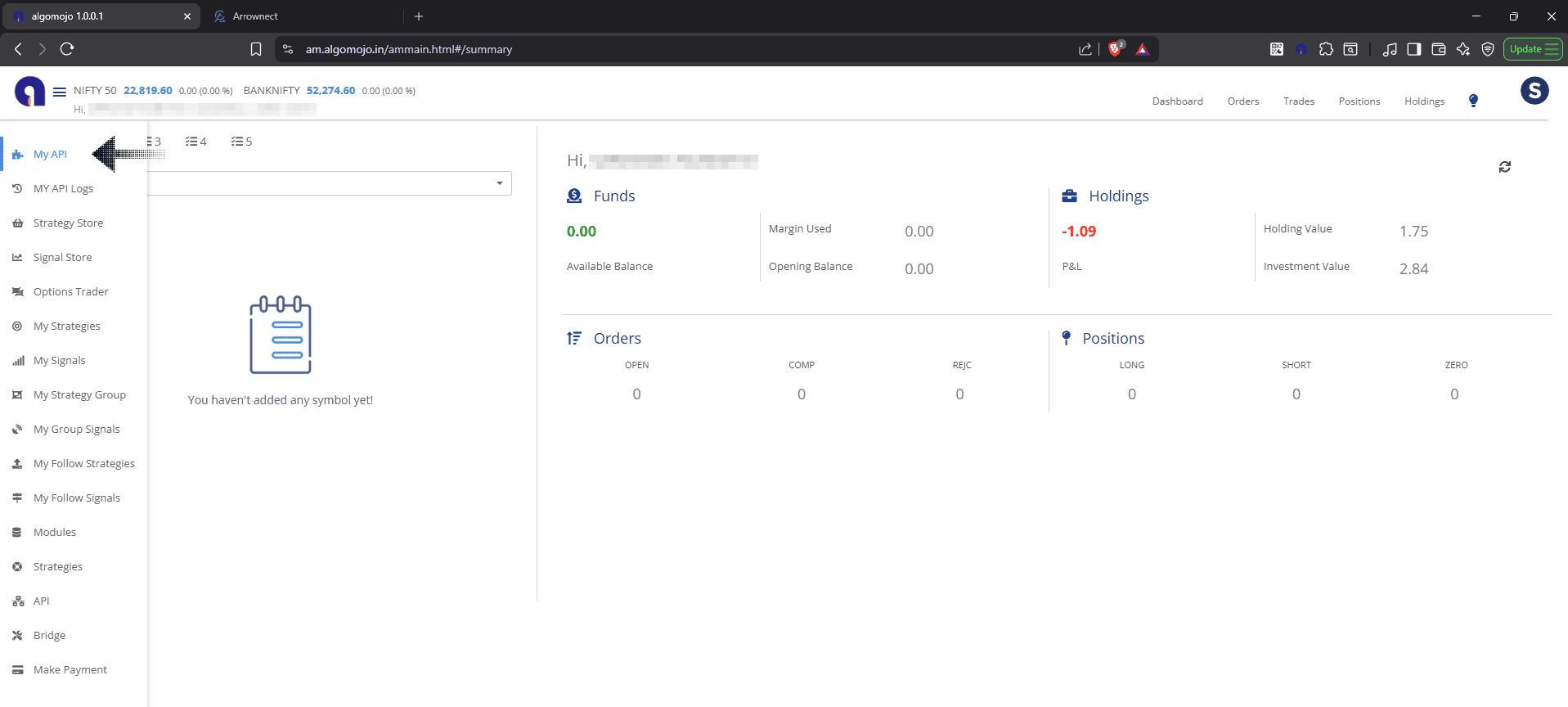
1. Log in to your account at [algomojo.com](https://www.algomojo.com).
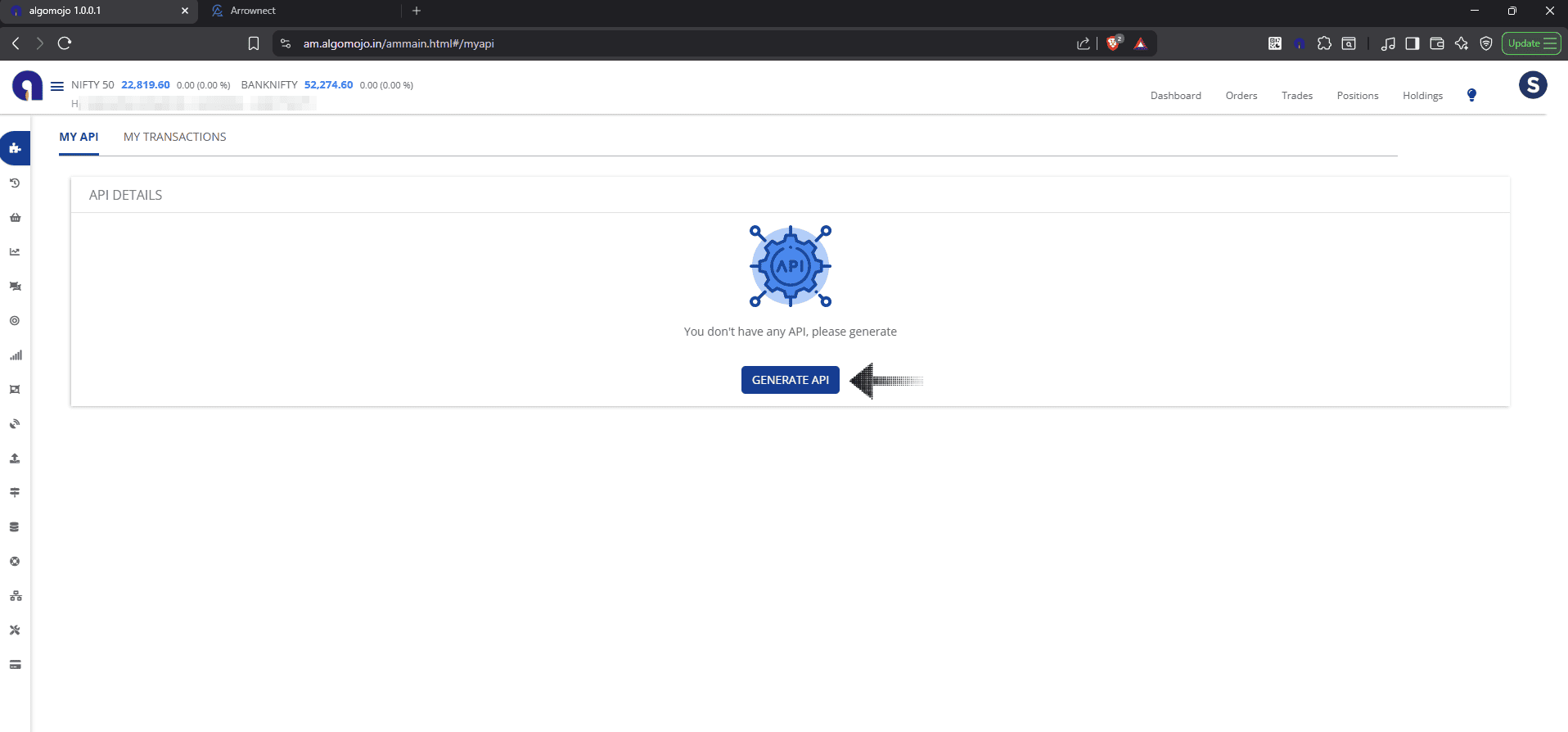
2. Navigate to the My API section in the dashboard.
3. Note for New Users: If you haven't done so yet, click Generate API to initialize your credentials.
#### Step 3: Connect the Static IP
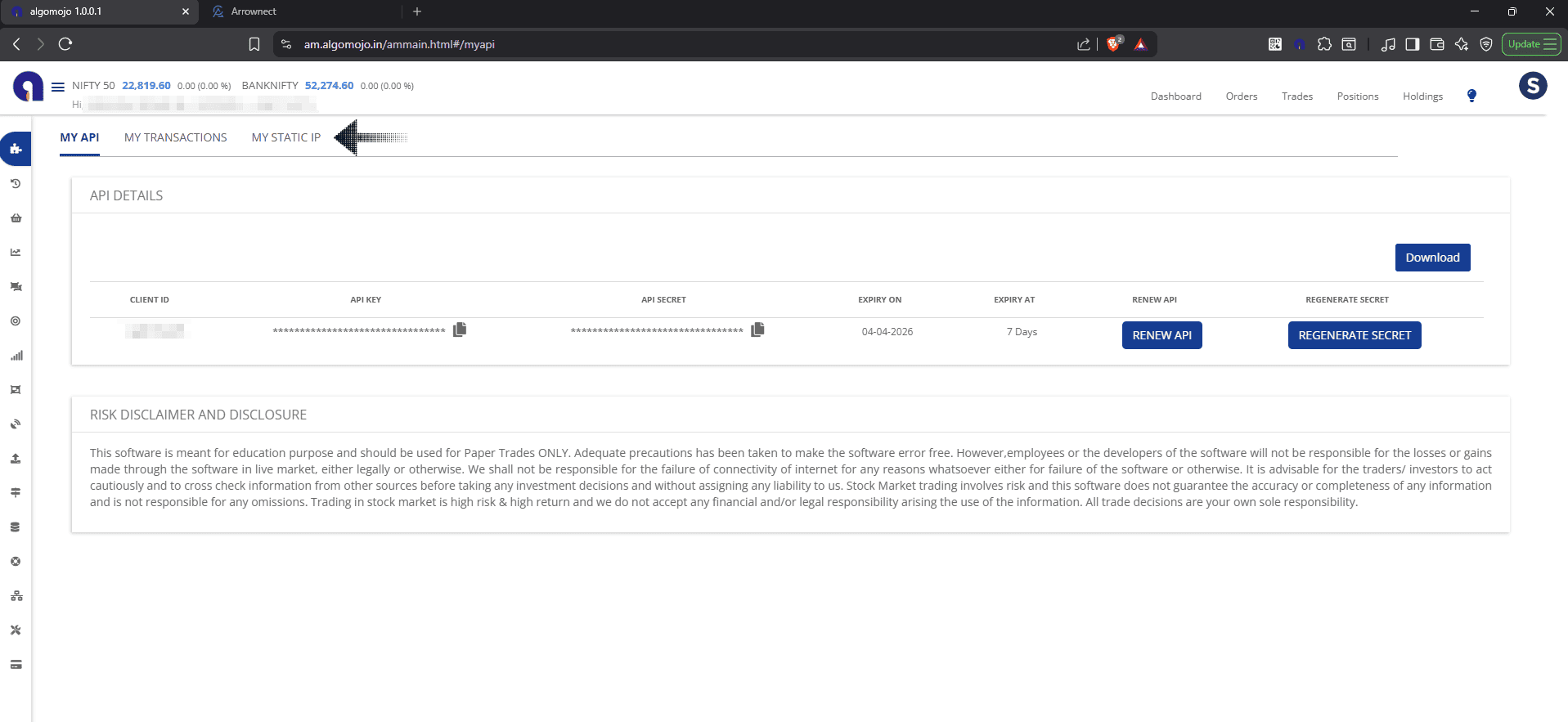
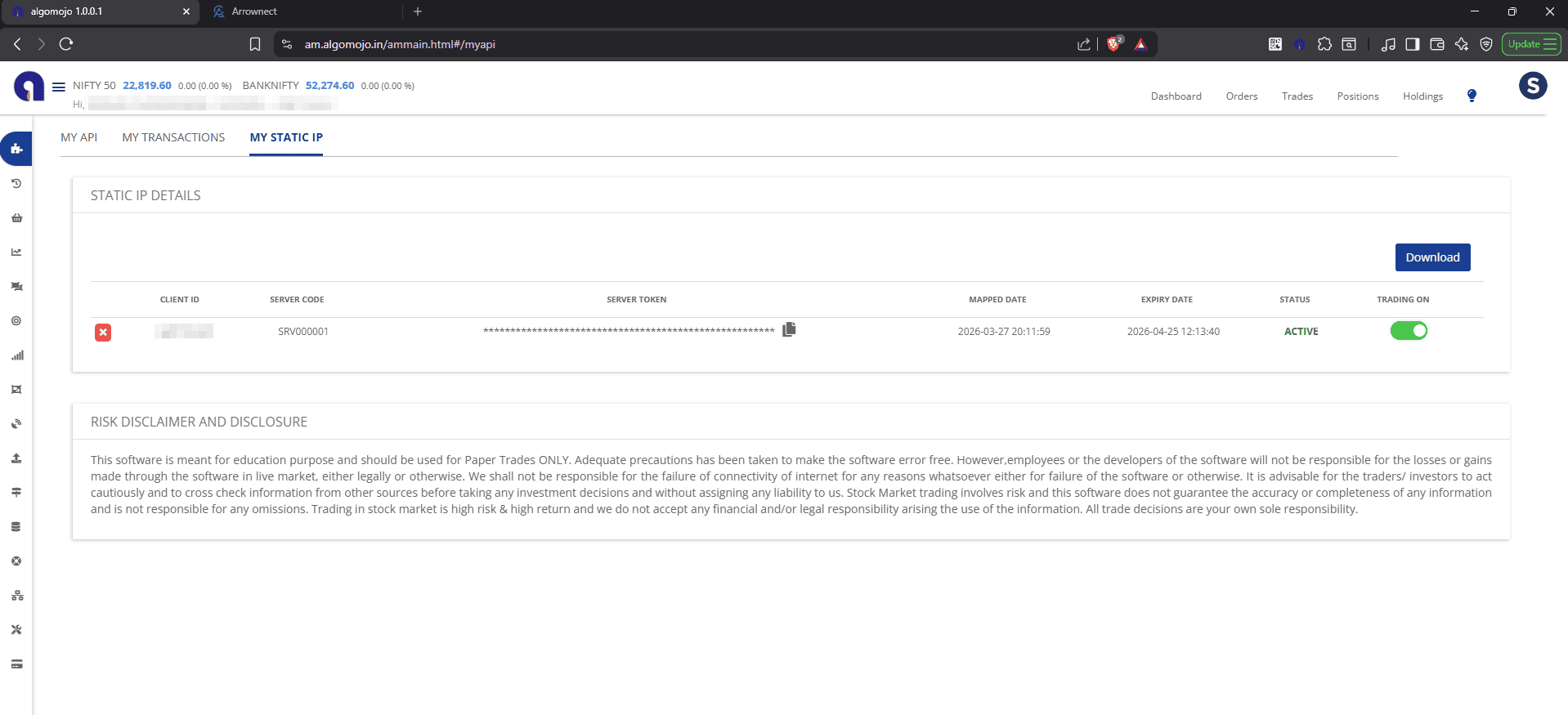
1. Once your API is generated, a new tab labeled My Static IP will appear. Click on it.
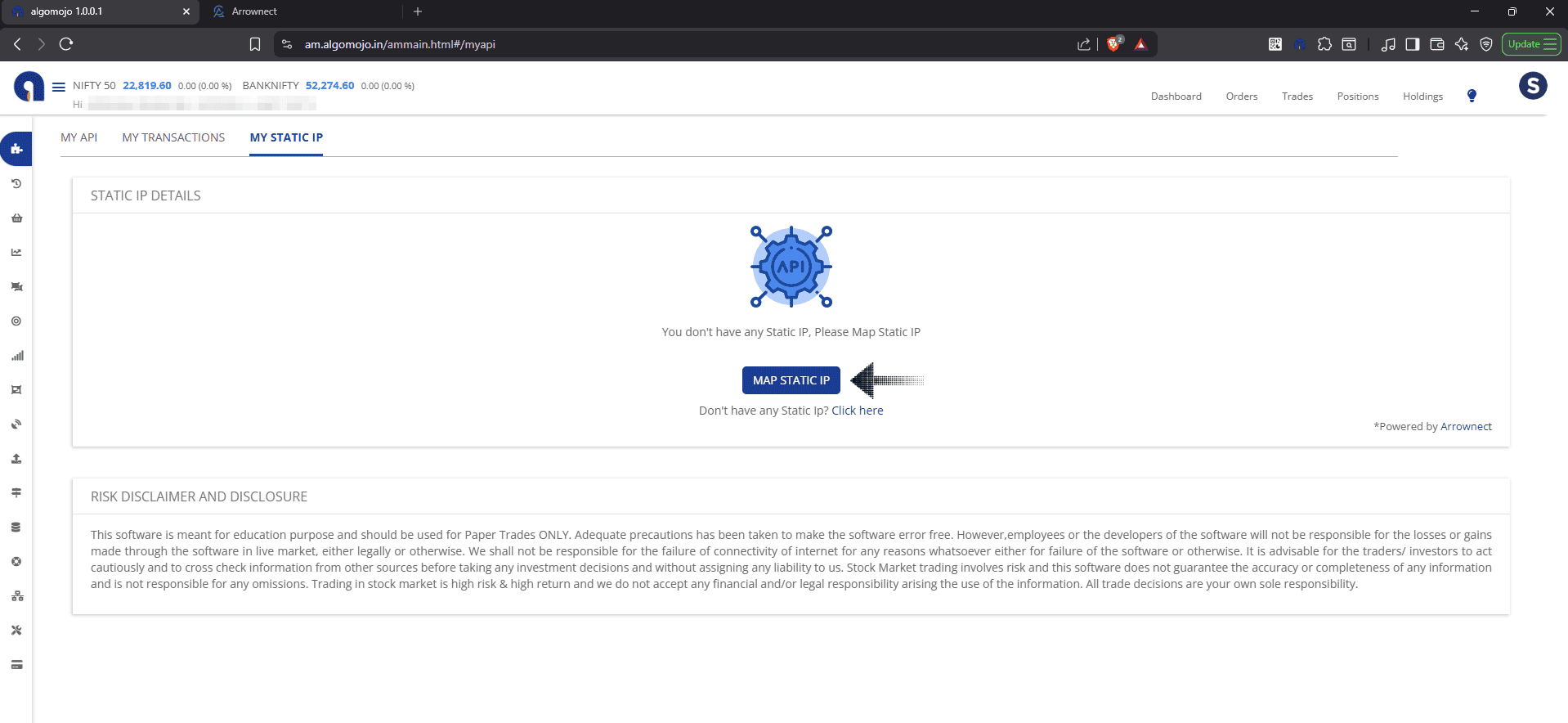
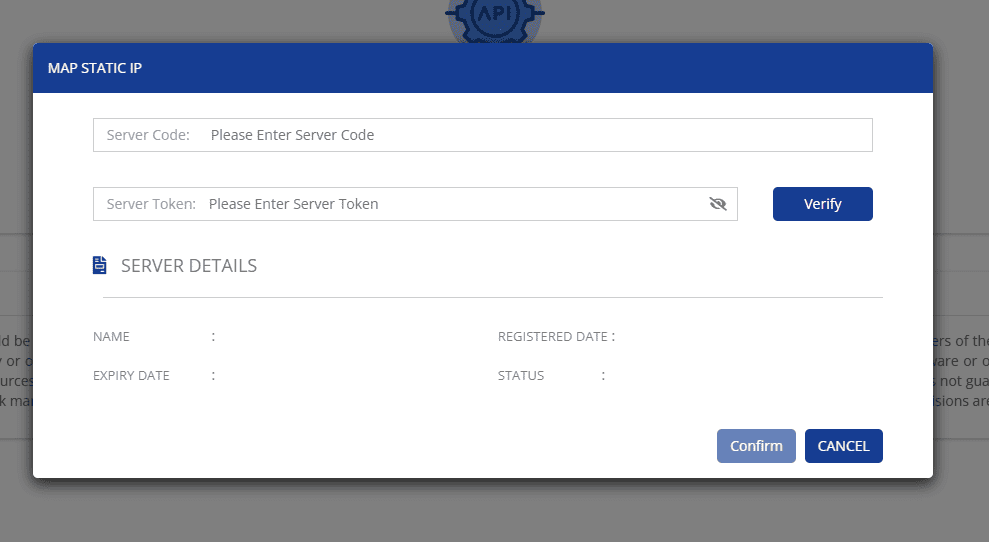
2. Select the Map Static IP button.
3. A form will appear: Paste the Server Code and Server Token you copied from Arrownect into the respective fields.
#### Step 4: Verify & Confirm
* Click the Verify button.
* System Check: The "Confirmation" button will only enable if your server status is currently Active in Arrownect.
* Once verified, click the Confirm/Map button to finalize the link.
#### 🚀 You are Ready for Live Trading!
Once the mapping is successful, your Algomojo environment is securely bridged to your Arrownect Static IP. You can now execute live trades directly through the platform.
***
#### ⚠️ Troubleshooting Tip
> Verification Failed? If the button doesn't enable, check your Arrownect Dashboard. Ensure the server hasn't expired and that the Server Request status is marked as Active (not Pending).