> For the complete documentation index, see [llms.txt](https://docs.algomojo.com/algomojo/llms.txt). Markdown versions of documentation pages are available by appending `.md` to page URLs; this page is available as [Markdown](https://docs.algomojo.com/algomojo/my-group-signals/positions.md).
# Positions
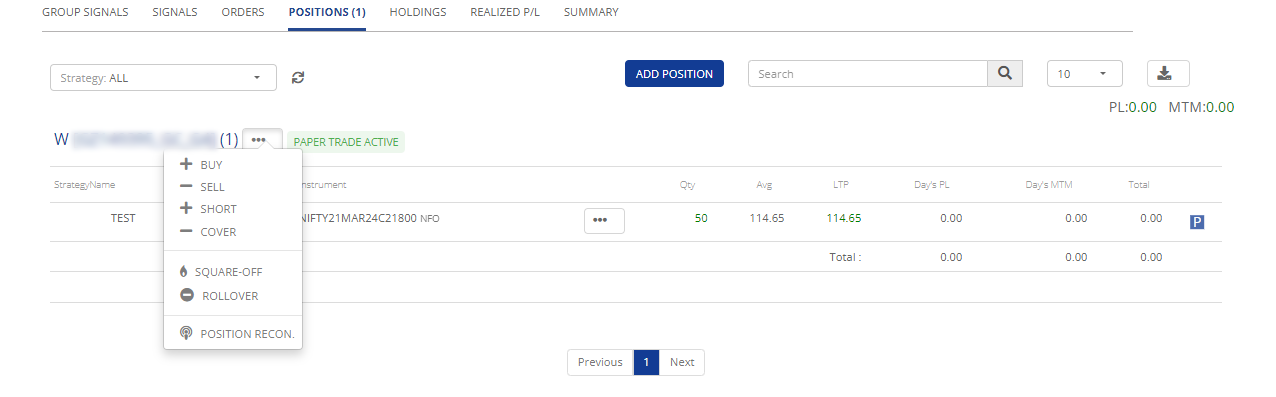
In the context of group positions, the "Group Positions" tab provides a consolidated and insightful view of the current asset positions associated with a specific group of strategies. This feature is designed to offer essential information for monitoring and managing group investments effectively.
**Group Positions:**
* **Strategy Name:** The name of the strategy to which the positions belong, facilitating clarity and organization.
* **Product:** In the financial context, "product" refers to the type of financial instruments or securities held within the group. Examples include stocks, bonds, options, futures contracts, and mutual funds.
* **Instrument:** An "instrument" within the group represents a specific type of financial product or security. For instance, if the product is "equity," the instrument could be a particular stock, such as shares of a specific company.
* **Quantity:** The "quantity" in the context of group positions refers to the total number of units or shares of a financial instrument held collectively by the group.
* **Average Price:** The "average price" within the group is the average cost at which the group acquired a particular financial instrument. It's calculated by dividing the total cost of acquiring the instrument by the total number of units or shares purchased within the group.
* **LTP (Last Traded Price):** The "Last Traded Price" within the group is the most recent price at which a financial instrument was bought or sold in the market. It provides the current market value of the instrument within the group.
* **Days P\&L (Profit and Loss):** This represents the profit or loss (in monetary terms) associated with a particular financial instrument or position within the group over a specific period. It is typically calculated on a daily basis and reflects the change in the instrument's value from the previous day.
* **Days MTM (Mark-to-Market):** "Mark-to-Market" within the group is a valuation method that reflects the current market value of a financial instrument. "Days MTM" represents the profit or loss (in monetary terms) from marking the instrument's value to the current market price over a specific period, often calculated daily.
* **Total:** This refers to the total or cumulative values of the above parameters within the group's portfolio. It provides an overview of the overall position and performance of the group's investments.
### I**MPORTANT:**
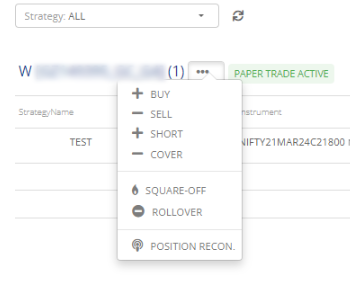
* **Action Button:** This button allows users to perform various trading actions related to their positions. These actions typically include options to buy, sell, short , cover, square off and position reconciliation.
By clicking on this button, users can execute these trading actions directly from the "Positions" view, providing convenient access to manage their investments effectively.
By utilizing the "Group Positions" tab, traders can efficiently monitor and manage the positions associated with a specific group of strategies, gaining insights into both the overall group activities and the specific contributions of individual strategies within the group. This consolidated view enhances the ability to make informed decisions and optimize the group's portfolio.