> For the complete documentation index, see [llms.txt](https://docs.algomojo.com/algomojo/llms.txt). Markdown versions of documentation pages are available by appending `.md` to page URLs; this page is available as [Markdown](https://docs.algomojo.com/algomojo/my-strategies/publish-signal.md).
# Publish Signal
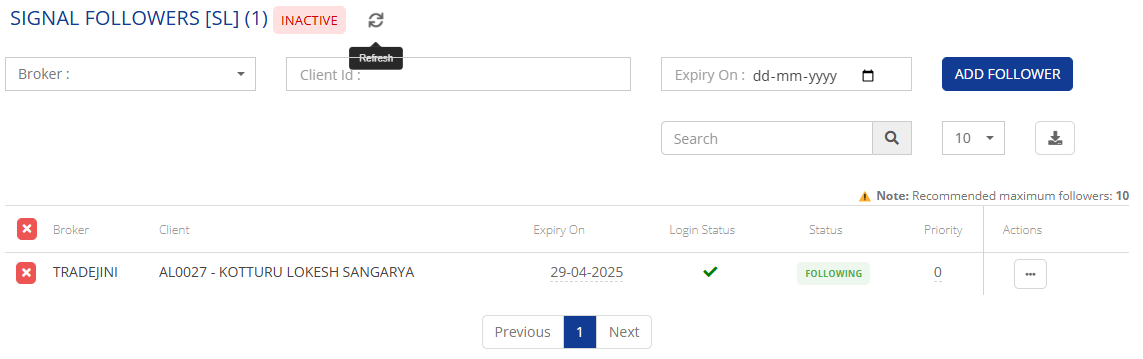
The **Publish Signal** feature in Algomojo allows traders to share their trading signals with multiple followers, enabling seamless execution of trades across accounts. With this feature, signal providers can publish trade alerts, and followers can automatically execute those trades under their mapped strategy.
#### **Key Highlights:**
✅ **Effortless Signal Sharing** – Easily publish trade signals to multiple followers in real-time.\
✅ **Broker & Client Mapping** – Select the broker and add followers using their client ID.\
✅ **Expiry Control** – Set an expiry date for signals to define how long followers can receive them.\
✅ **Real-Time Execution** – Once accepted, all signals are automatically placed for followers.\
✅ **Follower Limit** – Recommended maximum of **10 followers** per signal for optimized performance.
With **Publish Signal**, managing and executing signals has never been easier. Automate your trading and maximize efficiency with Algomojo!
#### **Step-by-Step Guide to Using the New "Publish Signal" Feature in Algomojo**
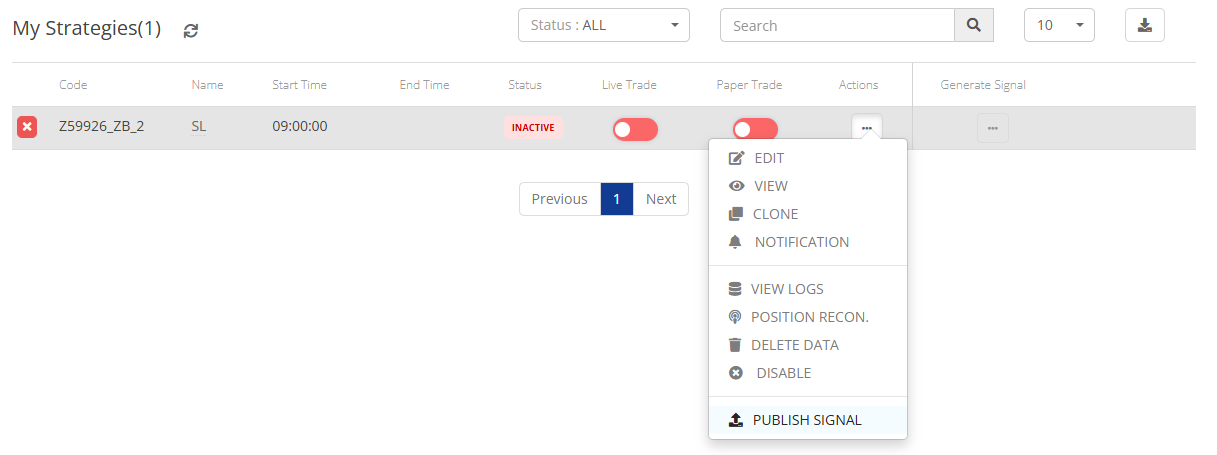
**Step 1: Access the Publish Signal Option**
* Navigate to the **Actions** section.
* Select **Publish Signal** from the available options.
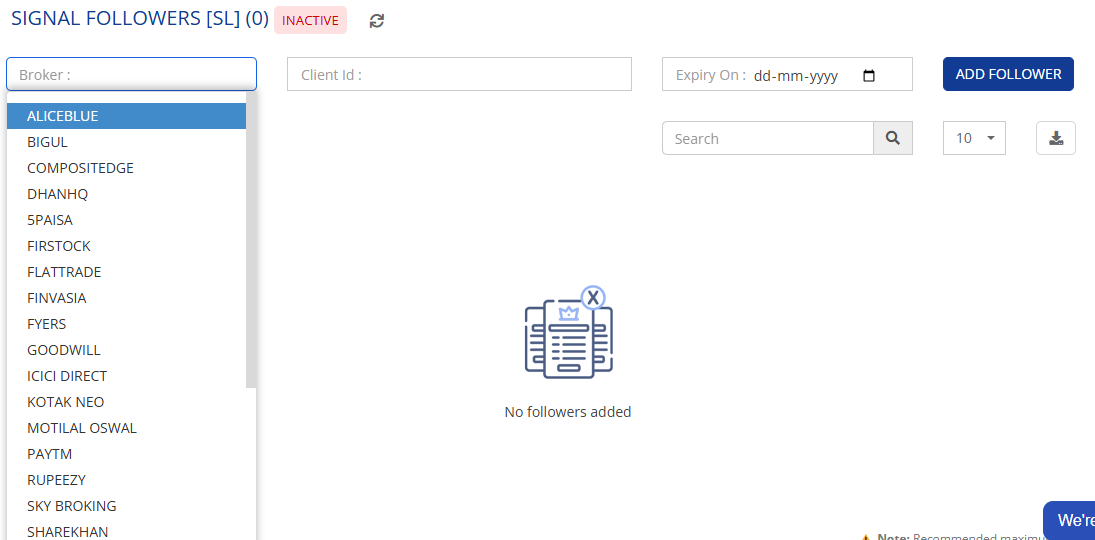
**Step 2: Add Followers**
* Choose the **Broker** from the list.
* Enter the **Client ID** of the follower who will receive the signals.
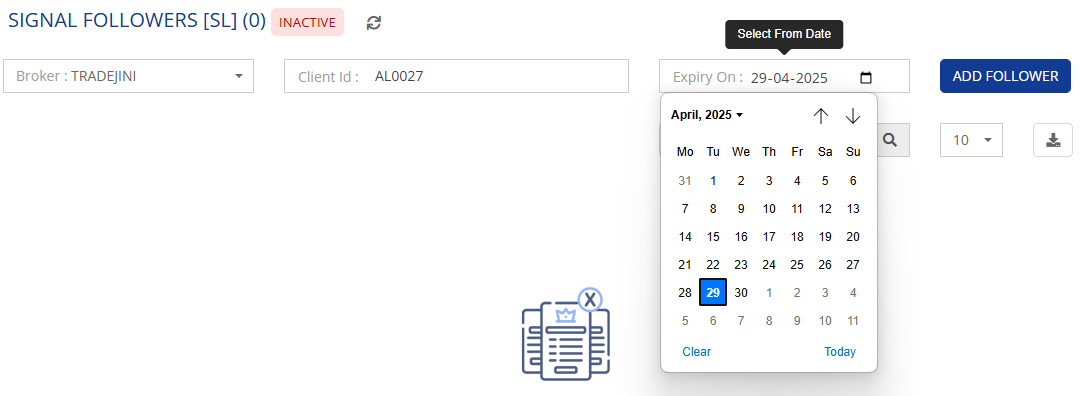
**Step 3: Set Expiry for the Signal**
* Define the **expiry date** for when the signal should stop for the follower.
* This ensures the signals will be available only for the selected duration.
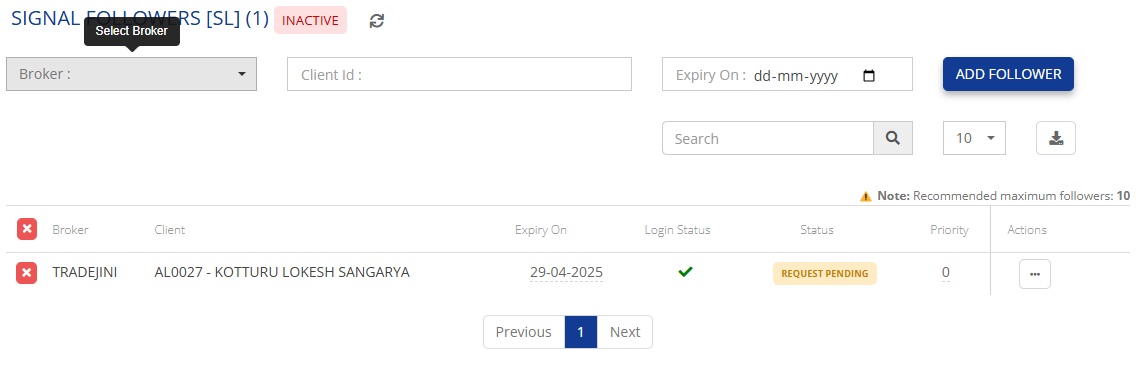
**Step 4: Confirm and Send Request**
* Click the **Add Follower** button after filling in all details.
* The status will change to **Request Pending** until the follower accepts the request.
**Step 5: Follower Acceptance**
* Once the follower accepts the request in their **Signal Store**, the status will change to **Following**.
**Step 6: Auto-Execution of Signals**
* After the follower is added, any signal sent by the **Admin (Publisher)** will be automatically placed for all followers.
⚠️ **Important Note:** The recommended maximum number of followers per signal is **10** to ensure optimal performance.
Now, you can easily publish signals and execute trades for multiple followers in real time!